Help & FAQs
Find answers or search for what you need.
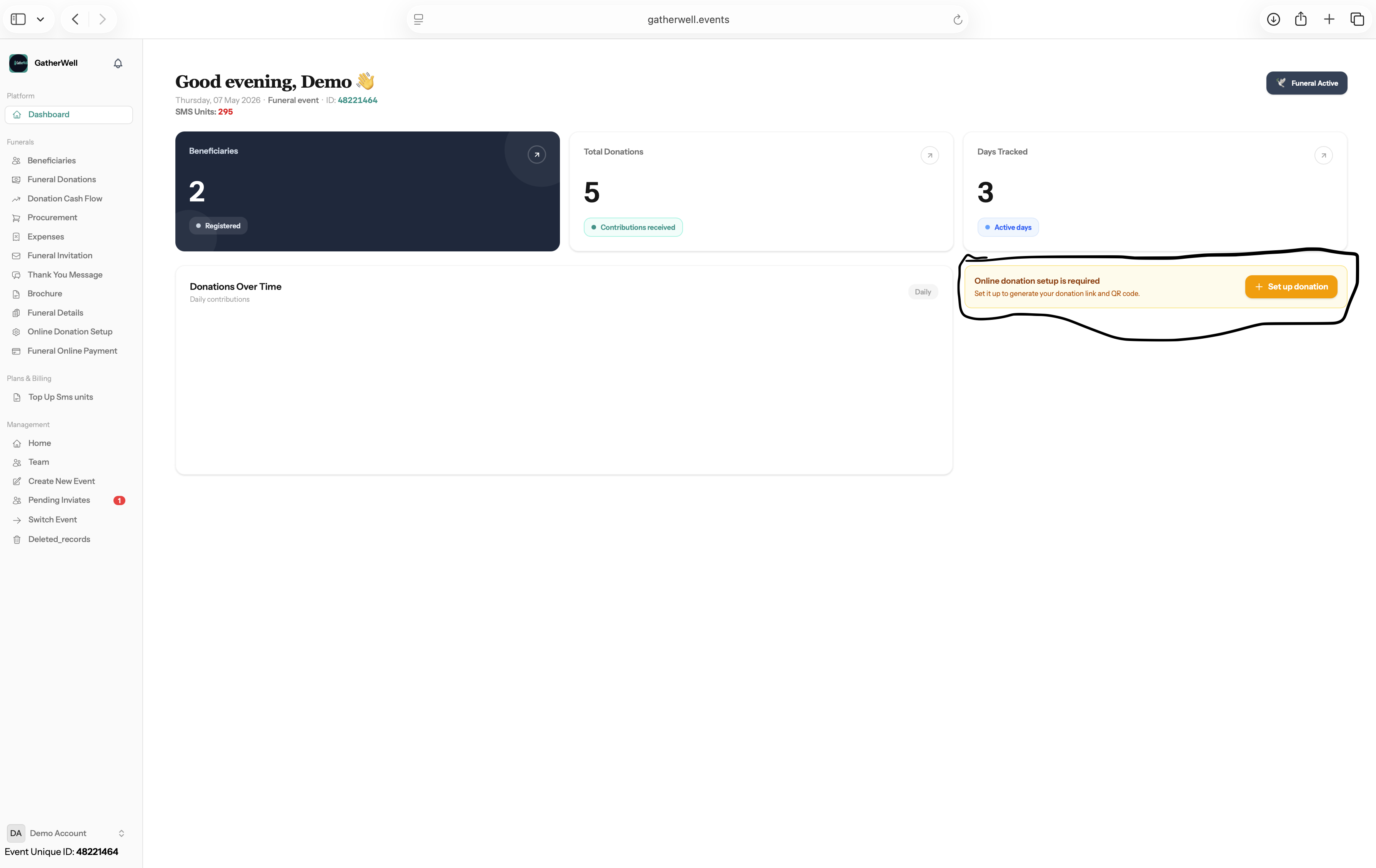
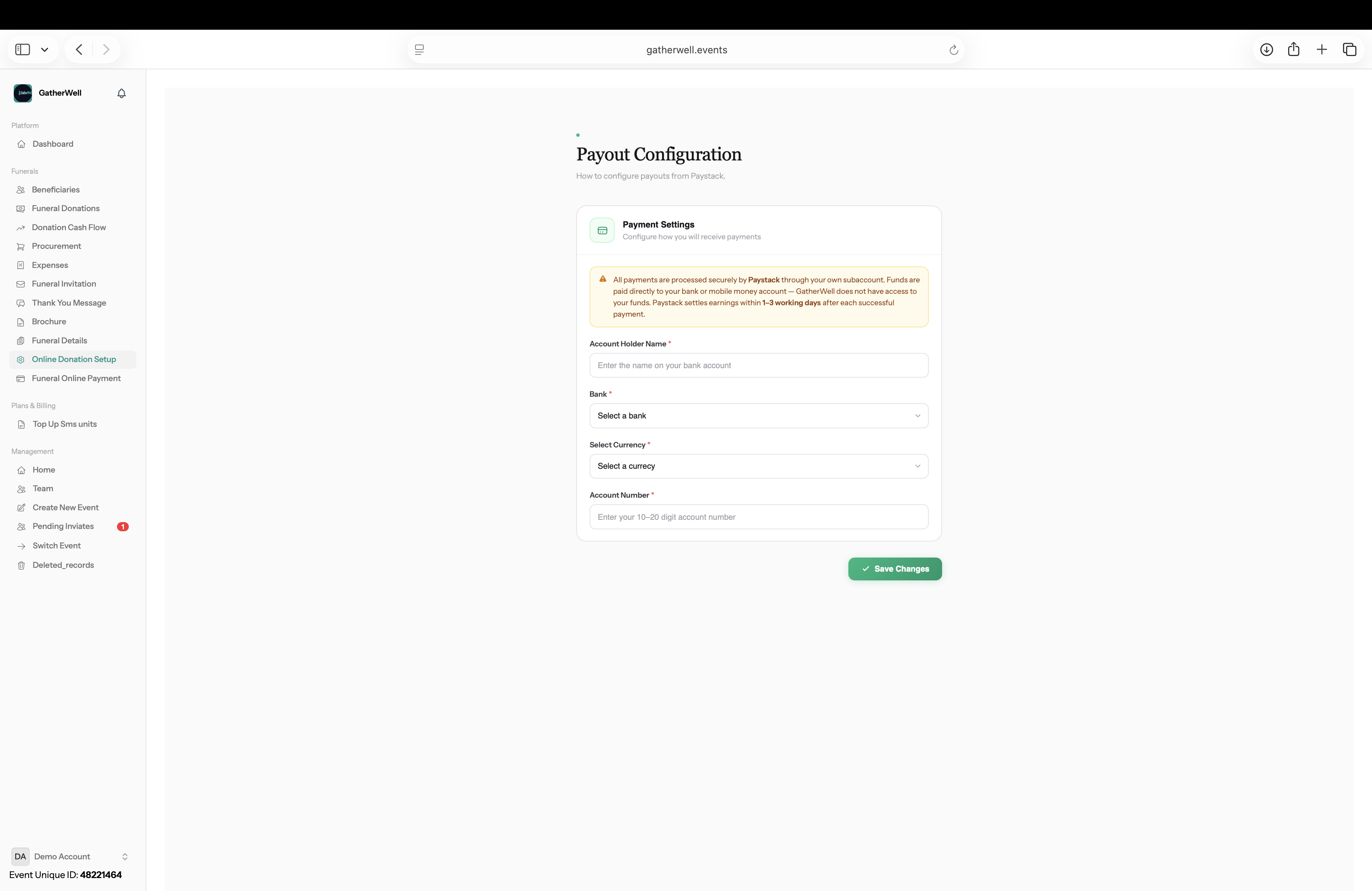
How do I setup my event to receive donations online
+
1. Open you dashboard 2. Click on setup donation 3 Fill in the details where you want payment to be made to


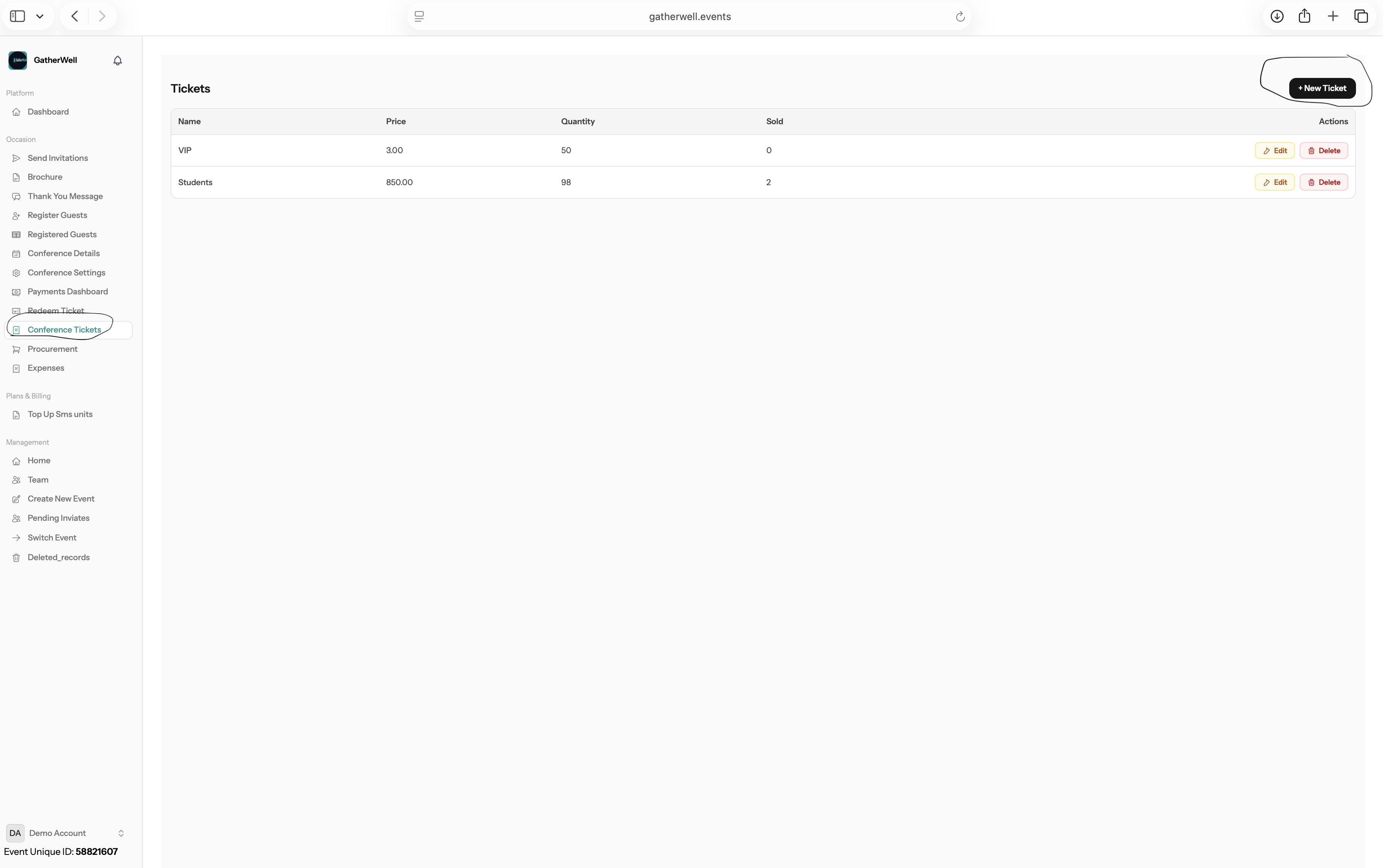
How do I create new tickets
+
1. Select on conference tickets from the sidebar. 2. Click on "New Tickets" button on the top right conner of the page

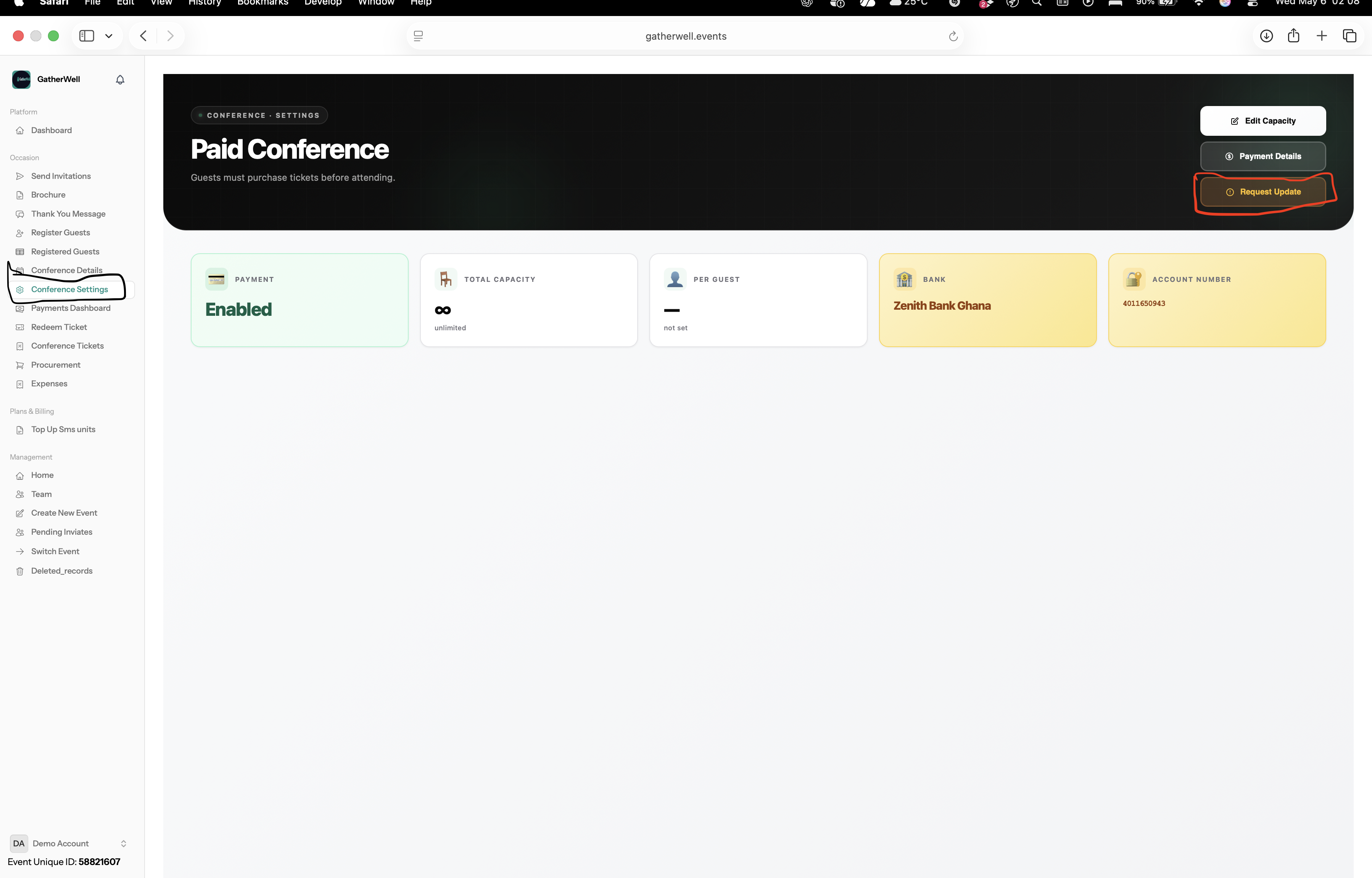
How do I update my payout details
+
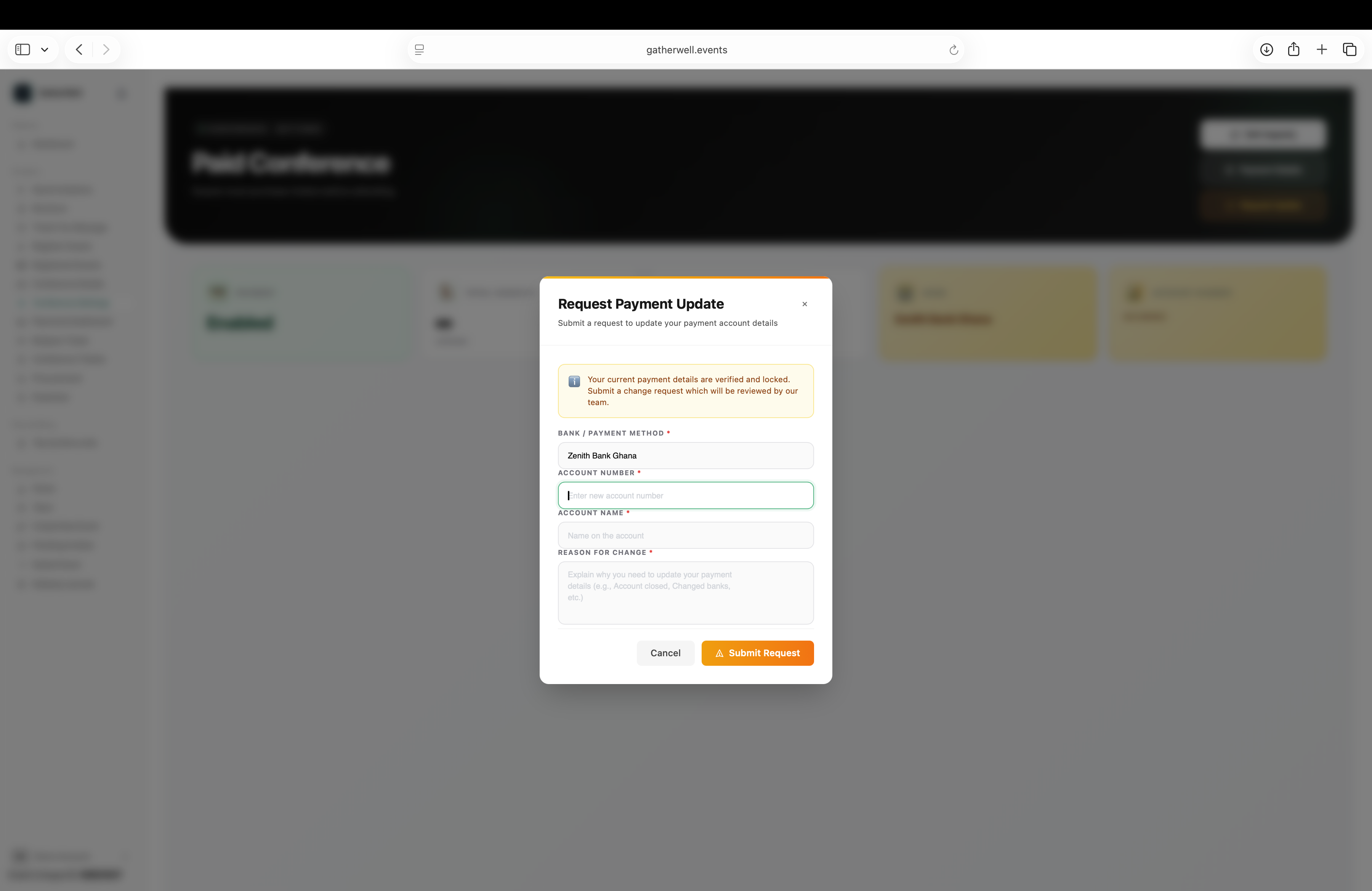
1. Select Conference Settings. 2. Select Request Update. 3. Send a request. 4. Our team will get in touch with you in 24 hours


How to I open my event for registration
+
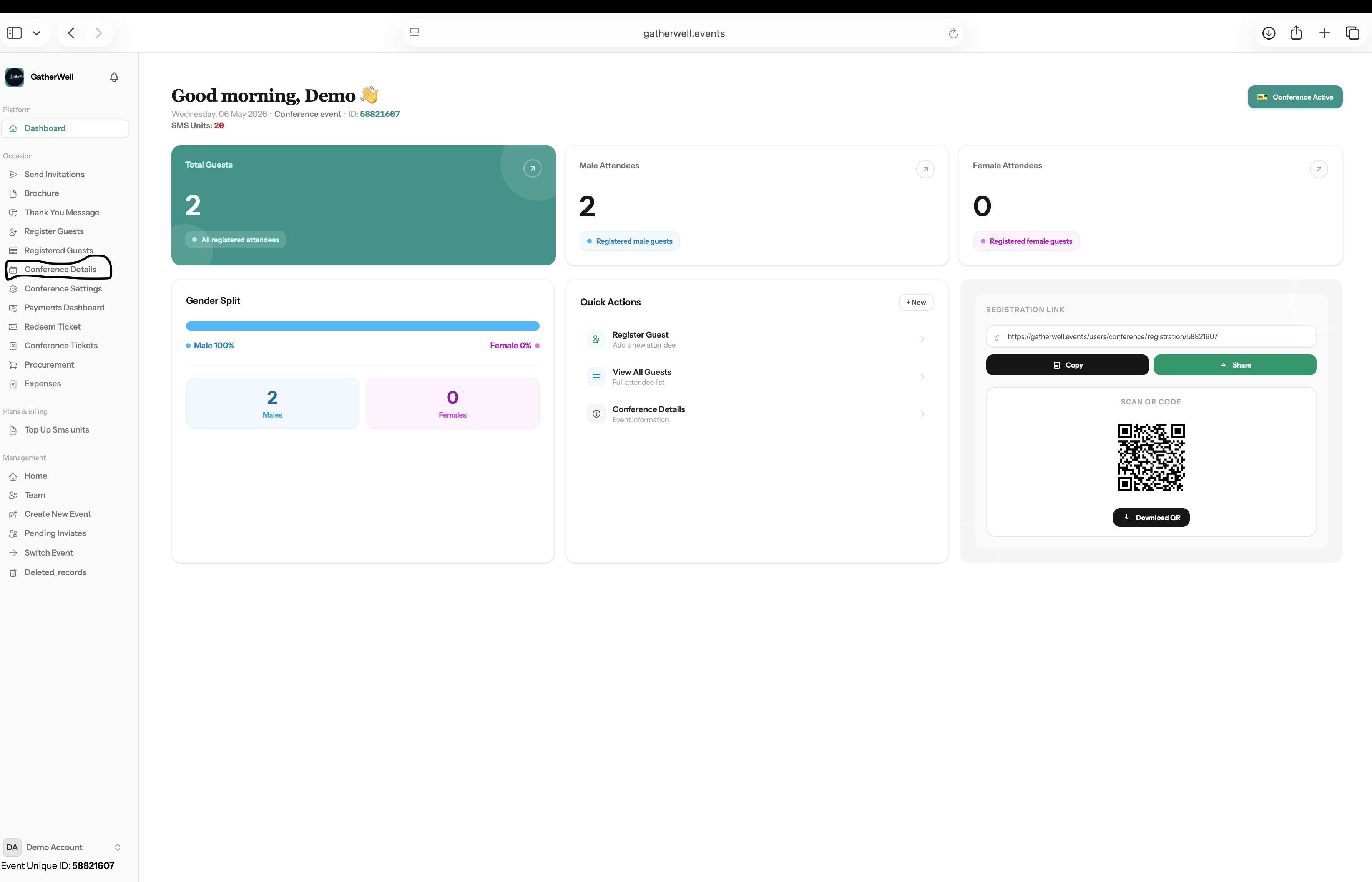
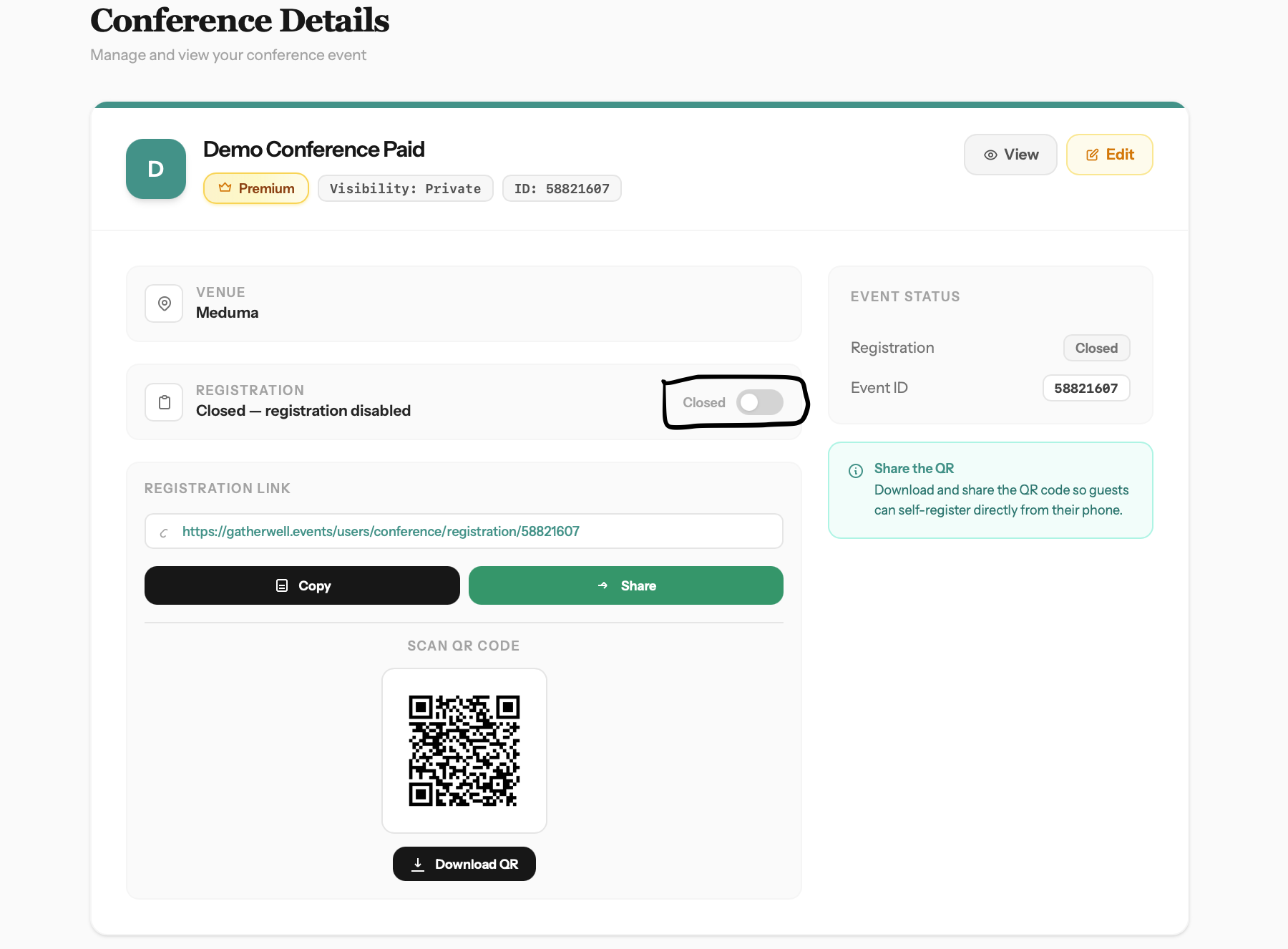
1. Click on conference details. 2. Toggle registration on


How do I access my event
+
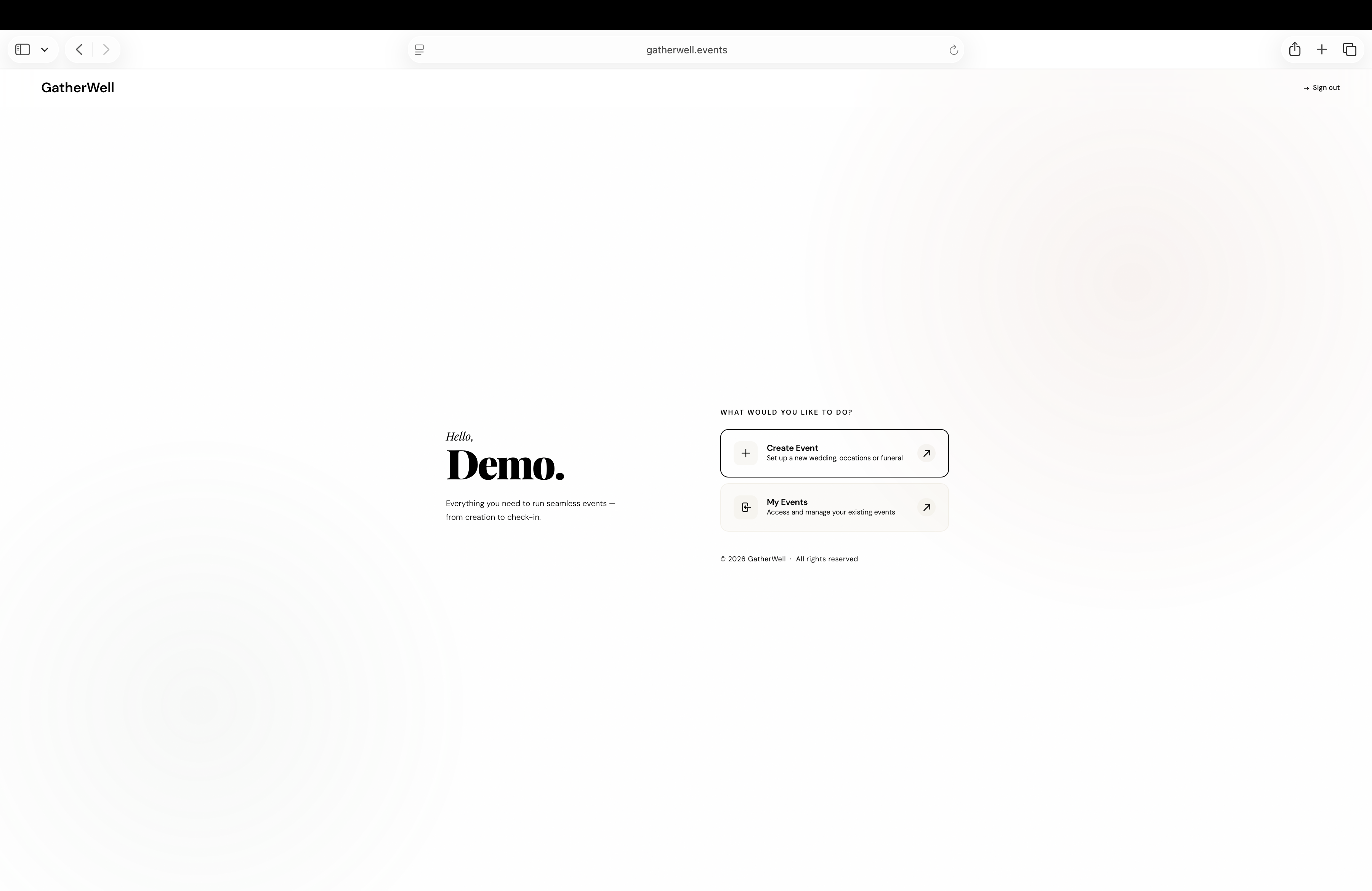
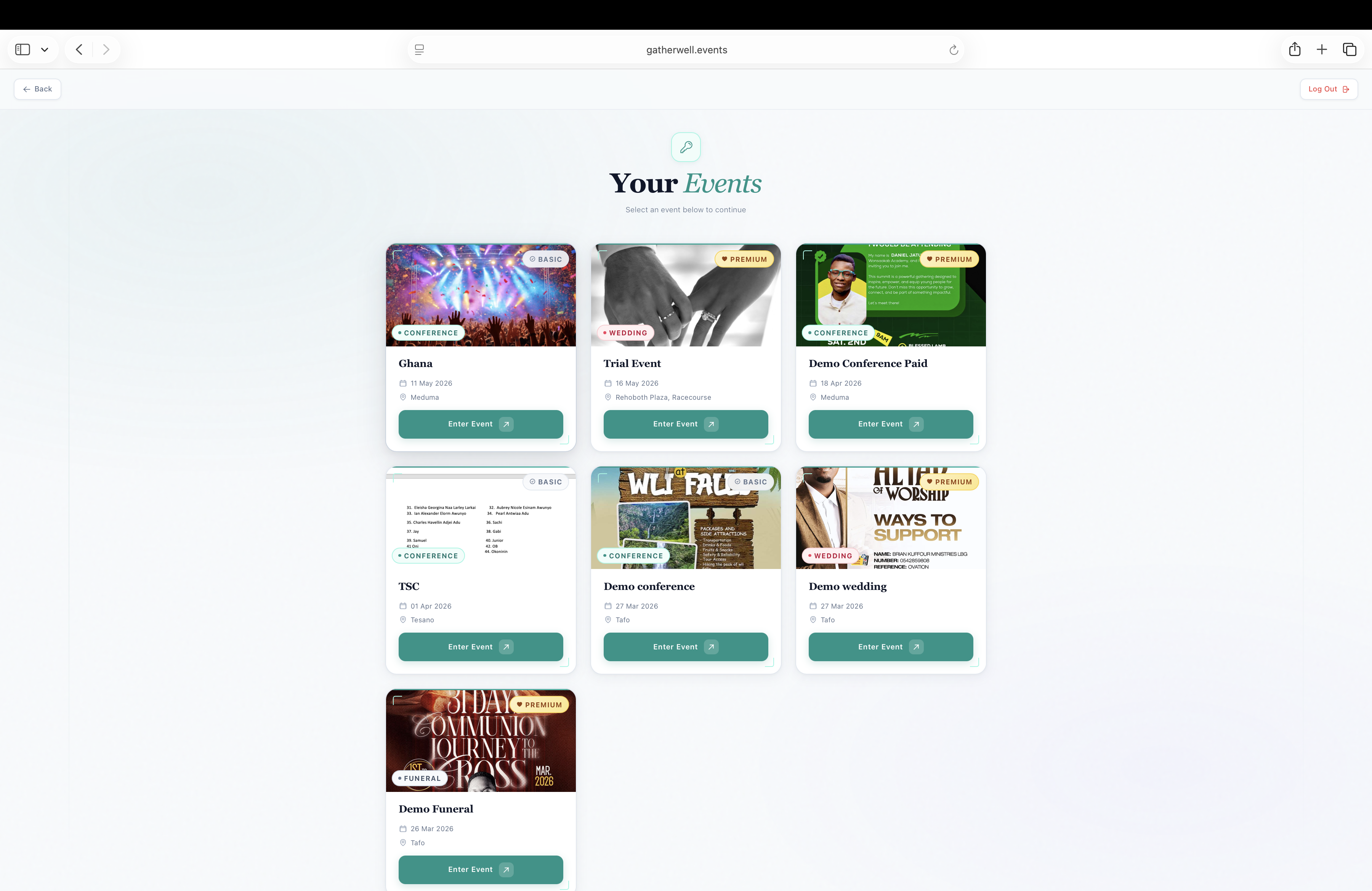
1. Login to the application. 2. Select My Events. 3. Select the event you want to access


✕